mod_flashcard is a Moodle activity that lets students learn and memorize information using flashcards. It fits pair-based knowledge (term–definition) or definition matching, supports text, images, and audio, and uses the Leitner algorithm to optimize review cycles and focus on the hardest items.
The Flashcard plugin is developed by Gemtech Education and is included in Gemtech's Moodle solutions.
Benefits
- Learn fast, remember longer: Leitner algorithm brings difficult cards back more often, saving time.
- Multiple study modes: Flashcards, Quiz, Write, Dictation, Study list, Word Scramble — suits different learning styles.
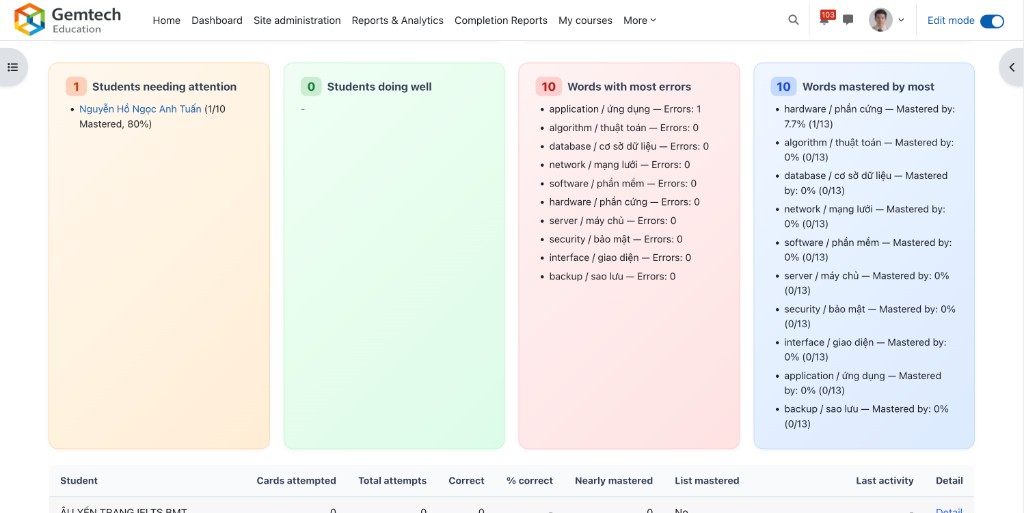
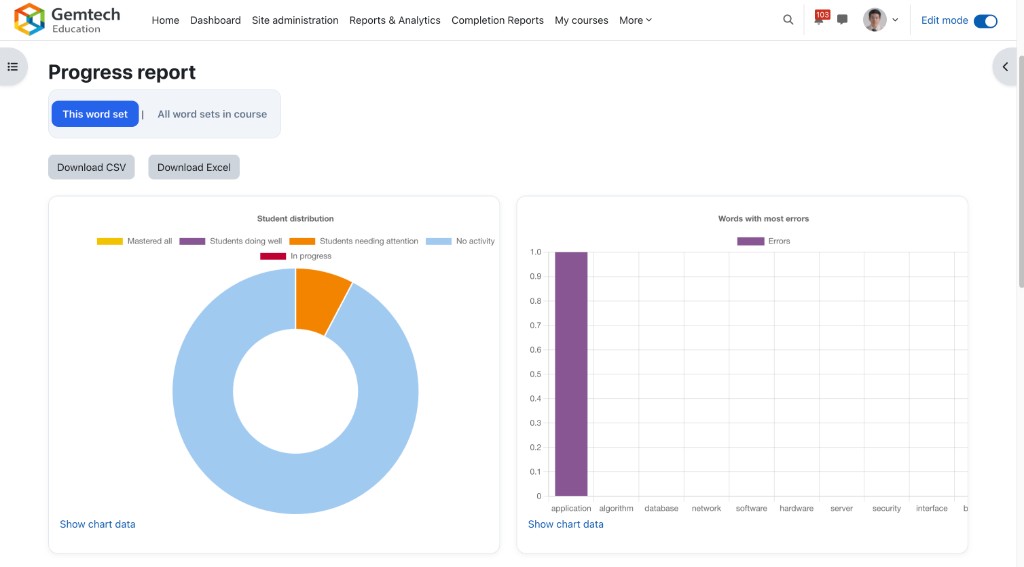
- Clear progress: Mastered, nearly mastered, words with most errors; reports by student and by word set.
- Audio (TTS): Hear pronunciation and practice spelling with Dictation mode.
- Easy to set up: Add cards one by one or import a two-column CSV; shuffle cards each session.
Main features
1. Card management
- Front: Term / question
- Back: Definition / answer
- Add cards individually or in bulk; import CSV (front, back); shuffle order each time.
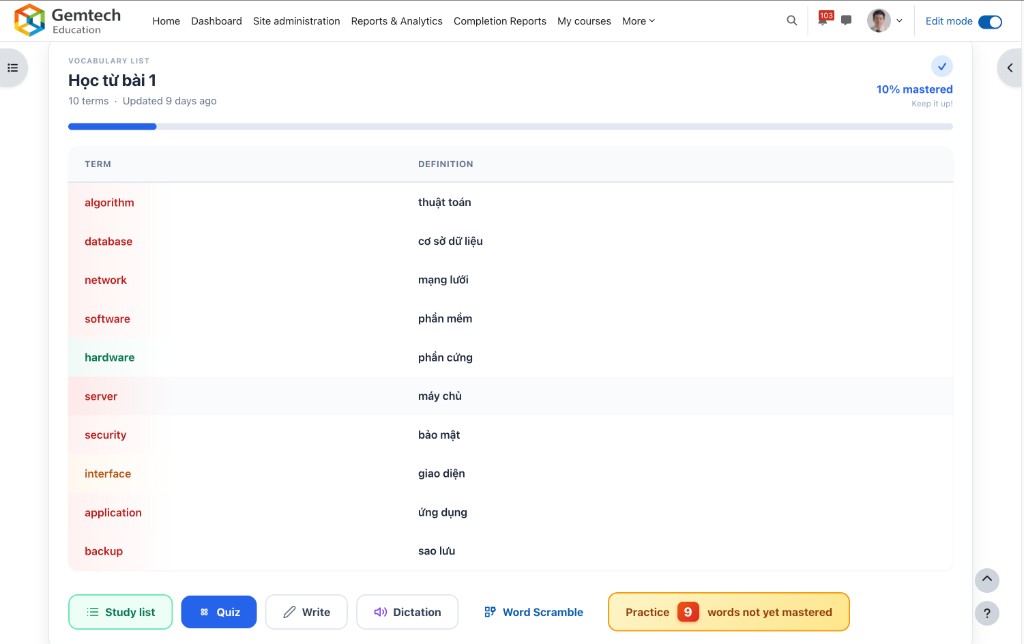
2. Study modes
Flashcards (flip card), Quiz (multiple choice), Write (type answer), Dictation (listen and type), Study list (vocabulary list), Word Scramble (reorder letters).
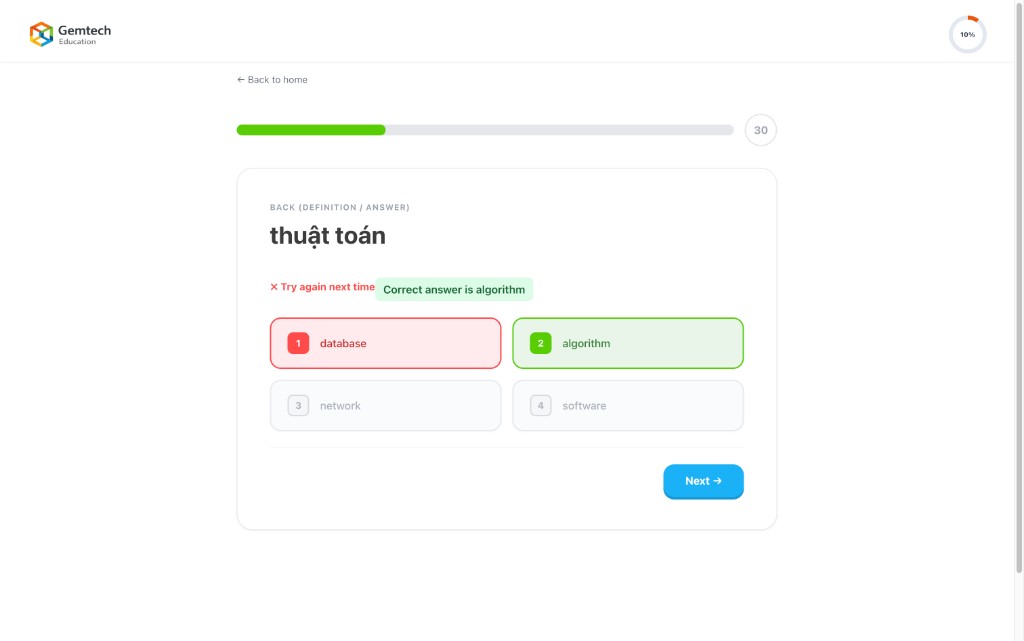
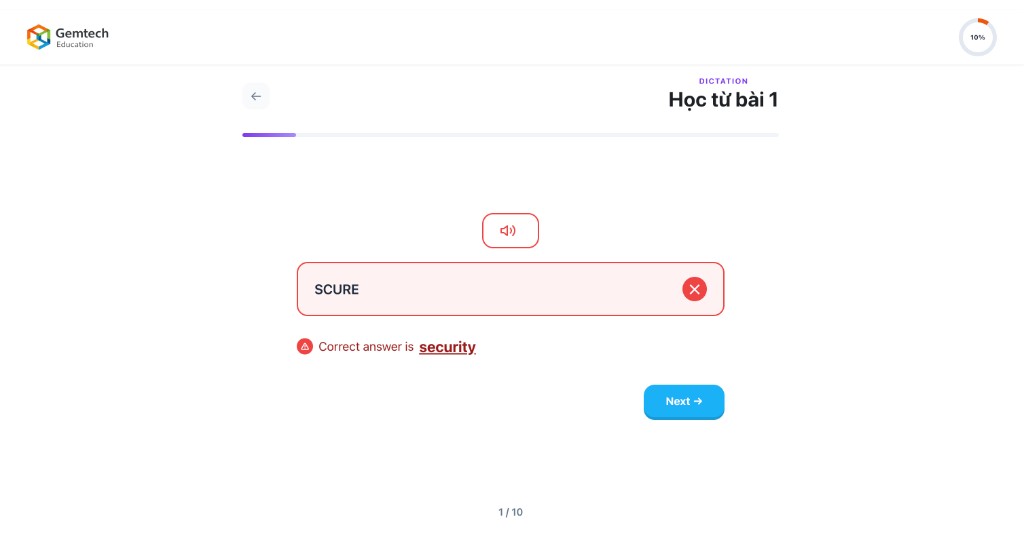
3. Answer type
Term: see/hear definition → answer with term. Definition: see/hear term → answer with definition.
4. Leitner algorithm
Cards are organized by difficulty (deck). Correct → move to harder deck; wrong → back to easier deck. Focus review on weak cards.
5. Progress tracking
Mastered (2 correct in a row), per-user progress, optional reset.
6. TTS & Word Scramble
Google TTS for pronunciation and Dictation. Word Scramble: form the word from letters, timers, leaderboard, hints with penalty.
Reports
Student progress (cards attempted, % correct, nearly mastered), students needing attention, students doing well, words with most errors, words mastered by most, export CSV/Excel.
Capabilities
flashcard:view— View and studyflashcard:addinstance— Add activityflashcard:managecards— Manage cardsflashcard:viewreport— View reports
Main pages & Settings
view.php (main, choose mode, study, complete), edit.php (manage cards, bulk add, import CSV), report.php. Settings: shuffle, answer type, completion by X cards studied.
Practical use cases
- Foreign language vocabulary
- Technical terms and definitions
- History: event ↔ date
- Formulas ↔ names
- Exam prep: question ↔ answer