mod_attendance is a Moodle activity that lets teachers track and manage student attendance. It replaces or complements paper-based attendance sheets and is especially useful in blended-learning environments where students attend face-to-face classes, lectures, and tutorials.
The Attendance plugin is developed by Gemtech Education and is included in Gemtech's Moodle solutions.
Benefits
- Save time: Teachers take attendance quickly on the web interface—no paper registers.
- Transparent data: Reports by course, student, or session; easy Excel/CSV export.
- Gradebook integration: Attendance grades feed directly into Moodle Gradebook.
- Fewer errors: Clear statuses (P/A/L/E) reduce mistakes compared to paper attendance.
- Automatic alerts: Email reminders when students exceed the allowed number of absences.
- Blended learning: Track participation both online and in person.
Main features
1. Session management
- Create attendance sessions with date and start/end time
- Configure recurring sessions (days/weeks, course length)
- Import sessions from CSV
- Link with Moodle calendar
2. Attendance statuses
Default statuses can be customized. Teachers can define their own status set to match school policy.
| Code | Status | Description |
| P | Present | Present |
| A | Absent | Absent |
| L | Late | Late |
| E | Excused | Excused |
3. Taking attendance
- Teacher: Click "Update Attendance" and set status per student
- Self-report: Allow students to record their own attendance
- Auto-mark: Optional auto-mark by IP, password, or other conditions
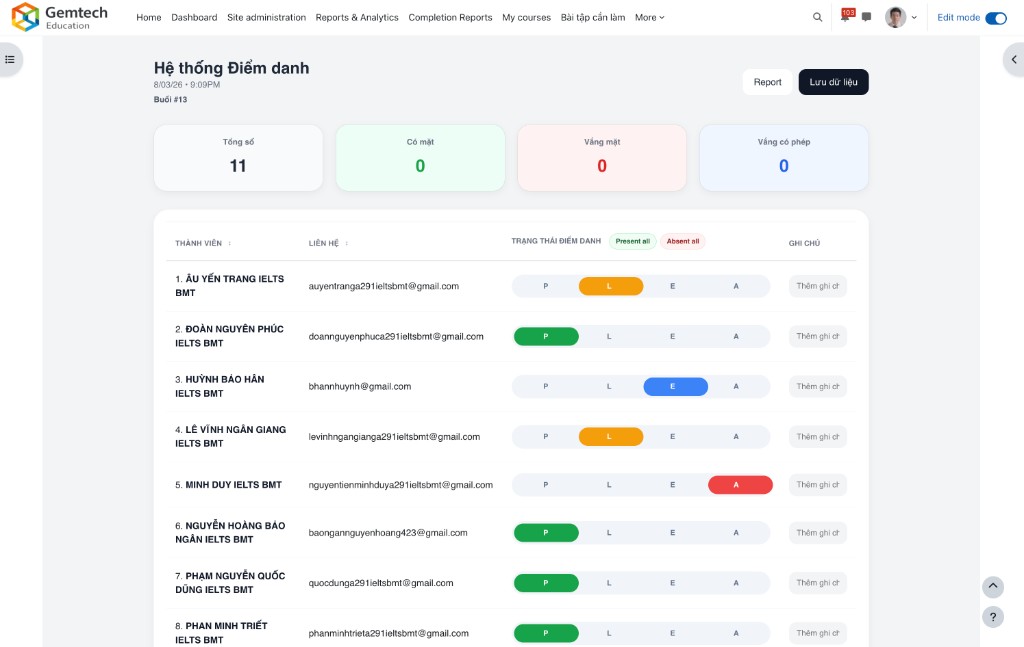
4. Reports and export
- Reports by course, student, or session
- Summary report
- Export to Excel, CSV, text
- Absentee report
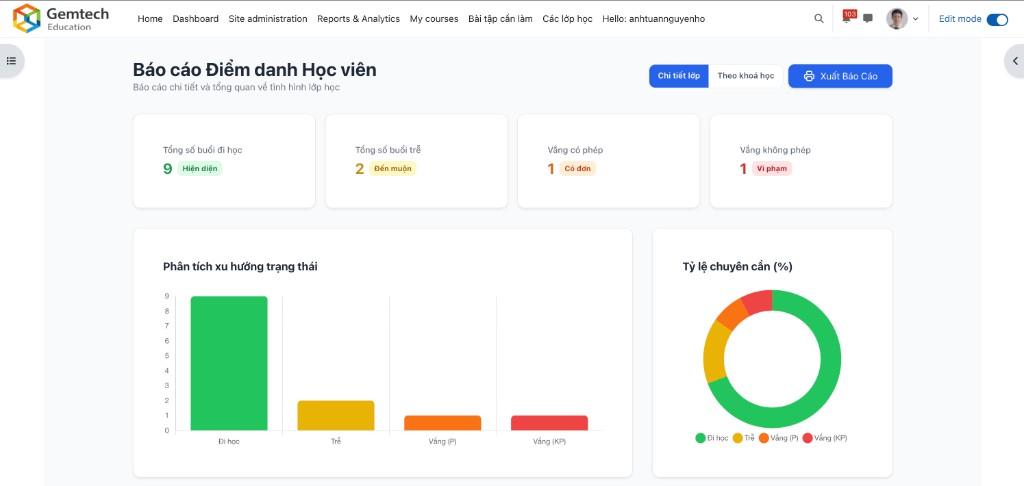
5. Grading
Assign grades based on attendance rate; integrates with Moodle Gradebook.
6. Alerts
Email alerts when a student exceeds a set number of absences; optional absence notifications.
Capabilities
attendance:addinstance— Add attendance activityattendance:view— View attendanceattendance:takeattendances— Take attendanceattendance:changeattendances— Change attendanceattendance:manageattendances— Manage sessionsattendance:viewreports— View reportsattendance:export— Export reportsattendance:import— Import sessions from file
Main pages
- view.php – Main page, redirects to Manage or Report
- manage.php – Manage sessions (add, edit, delete)
- take.php – Take attendance
- report.php – Attendance report
- preferences.php – Configure status set
- export.php – Export data
Practical use cases
- Face-to-face classes: Daily or per-session attendance
- Blended learning: Track both online and in-person participation
- Corporate training: Record attendance at training courses
- Seminars and workshops: Attendance per session
- Course assessment: Use attendance rate for participation grade